Deletion reasons configuration
Introducing the new way for configuring record deletion reasons. You can now utilize Dataset configuration to achieve this task.
Access right configuration
To configure the reasons for record deletion, you can easily navigate to the Dataset configuration, which requires Dataset access rights for access.
| Access right | Requires federated login configuration? | Description |
|---|---|---|
| Dataset | No | Can administrate datasets in Insight |
New Deletion reason v2 feature flag
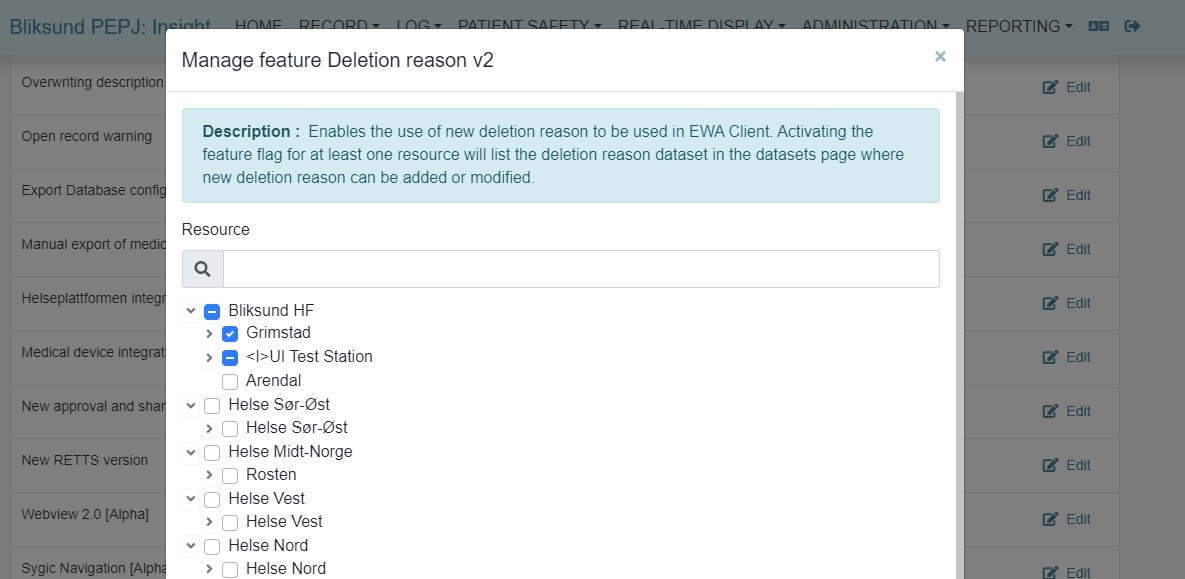
In order to configure record deletion reasons within the Dataset configuration page in Insight, the Deletion reason v2 feature flag must be enabled for at least one resource in Insight.
For using deletion reasons when deleting records in the EWA client, ensure the feature is enabled for the necessary resources.
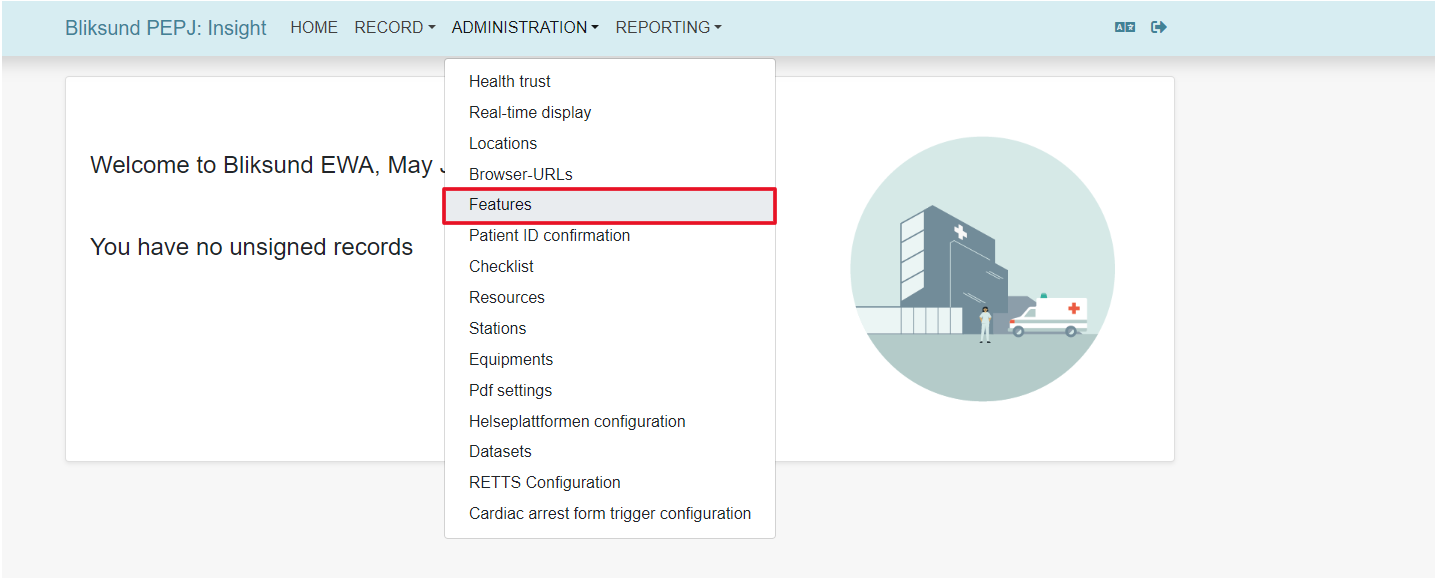
To enable the feature flag, select Administration > Features from the main menu and enable the Deletion reason v2 feature flag for all the necessary resources.
Modifying record deletion reasons
To modify the record deletion reasons, navigate to the Dataset configuration page by selecting Administration > Dataset in the main menu.
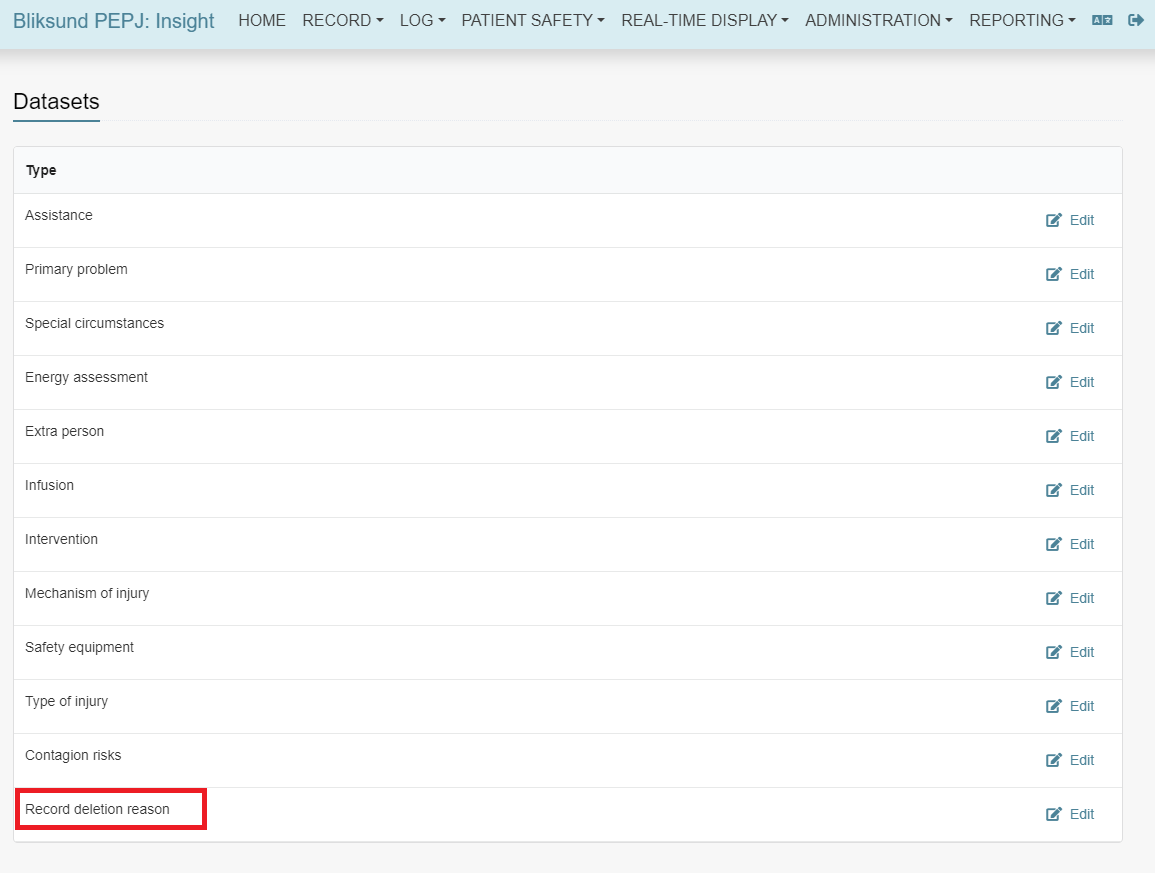
The new Record deletion reason dataset only appears if the Deletion reason v2 feature flag is enabled for at least one resource.
Click the Edit button to open the Record deletion reason dialog.
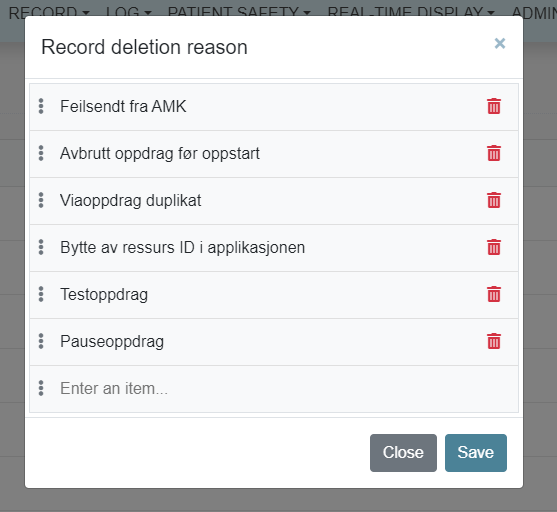
Modify the deletion reasons as needed, then click the Save button to save your changes.
Record deletion reason data set must have at least one deletion reason in it before using EWA Client. EWA client synchronization will fail if record deletion data set is empty.
Recommended record deletion reasons for Norwegian customers
- Feilsendt fra AMK
- Avbrutt oppdrag før oppstart
- Viaoppdrag duplikat
- Bytte av ressurs ID i applikasjonen
- Testoppdrag
- Pauseoppdrag
Use the new deletion reasons in Insight
Go to Search record page in Insight by selecting Record > Search record or Record > Search record v2.
When deleting a record, select a deletion reason in the dropdown:
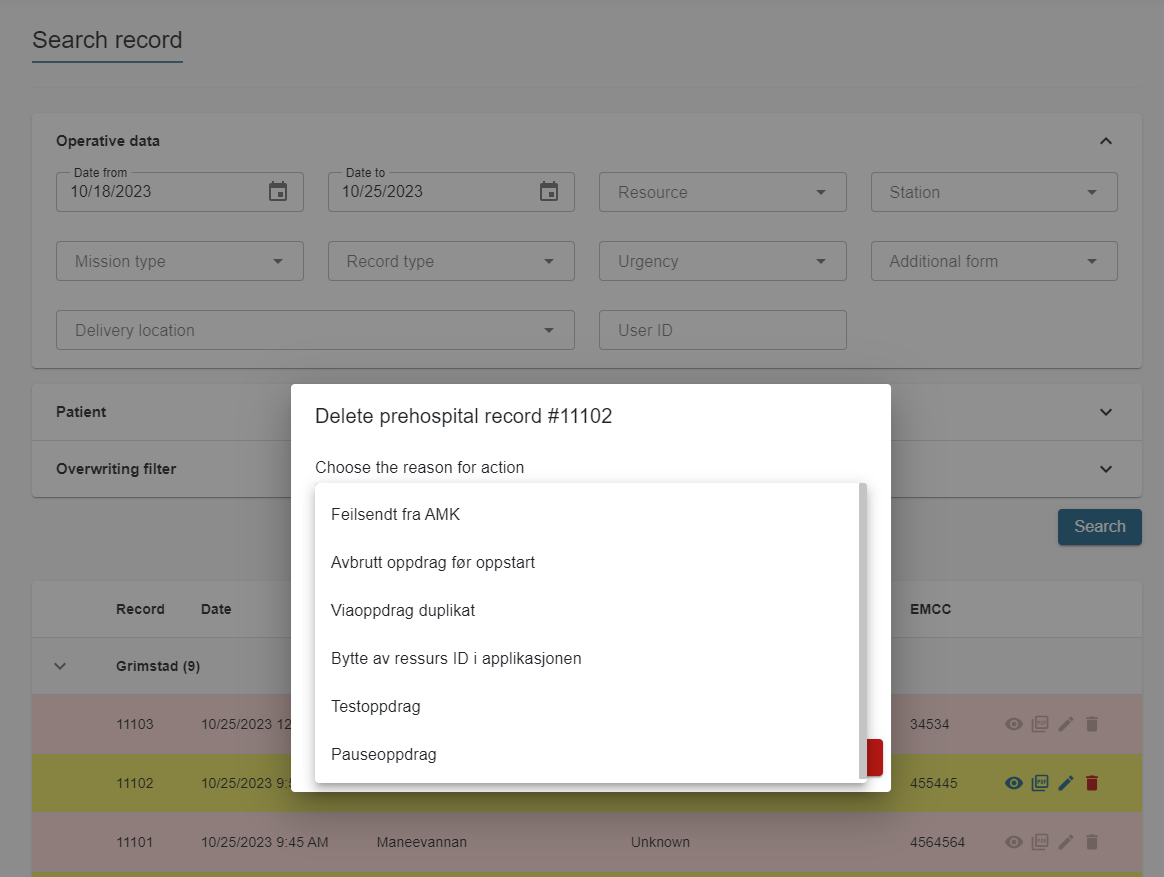
You can provide a complementary reason then click Delete to delete the record.
Use the new deletion reasons in EWA Client
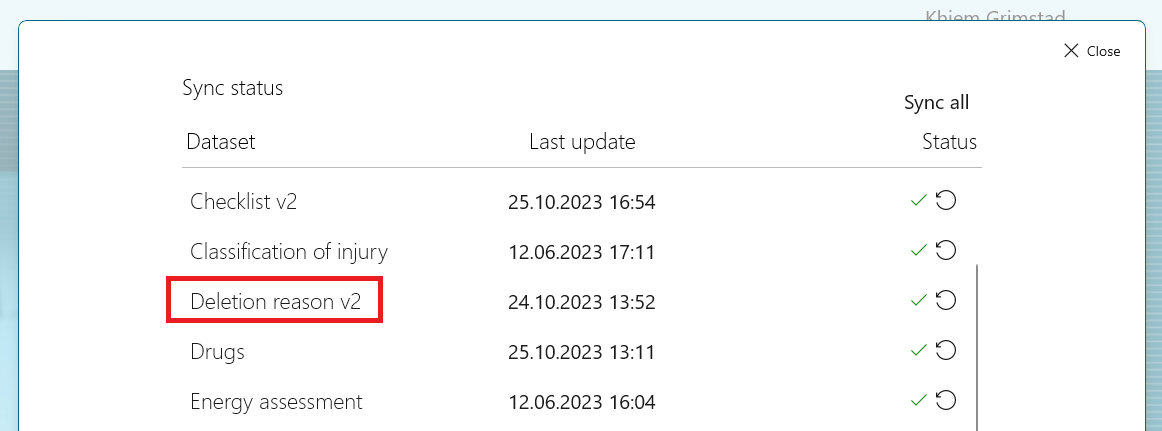
Ensure that the Deletion reason v2 is synced successfully in EWA Client.
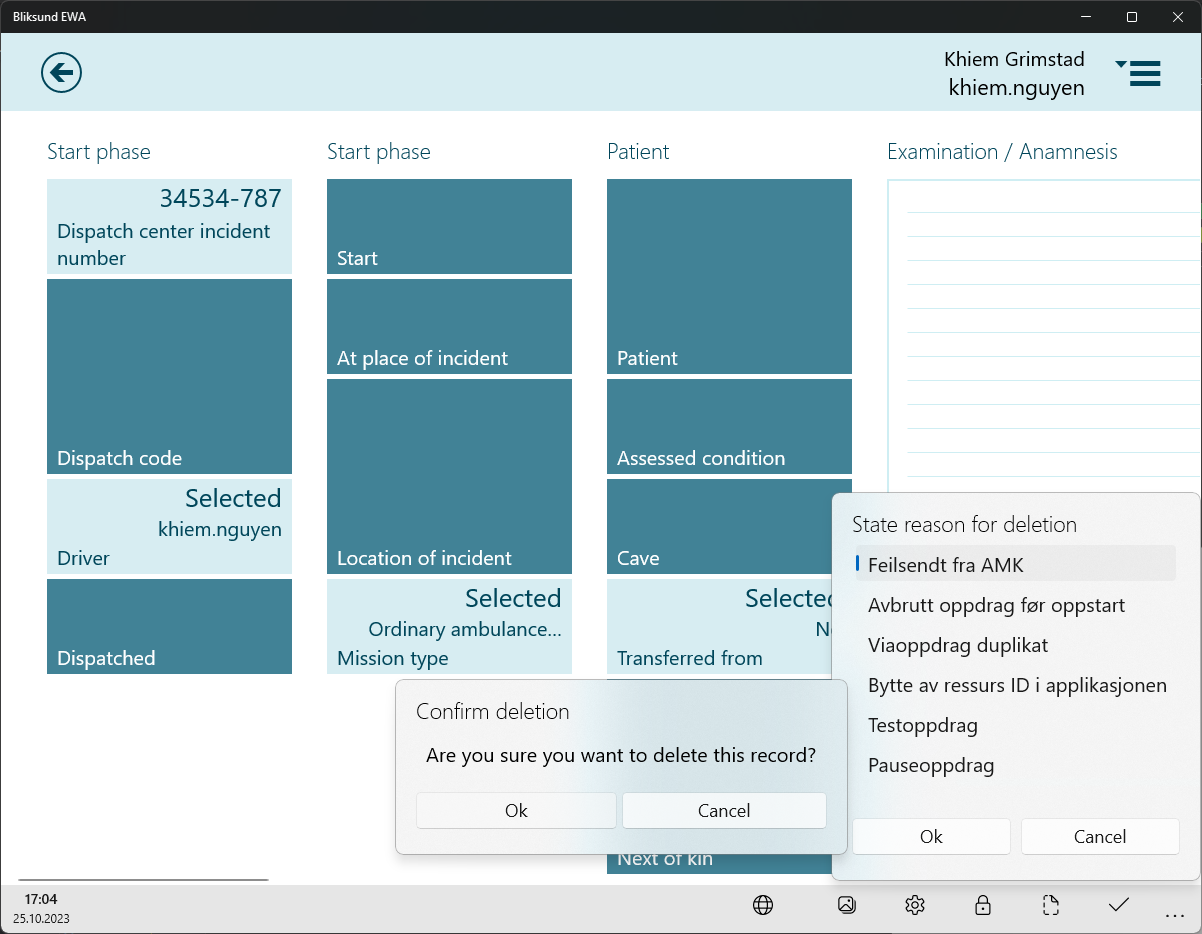
Click the Delete record button for the record you wish to delete.
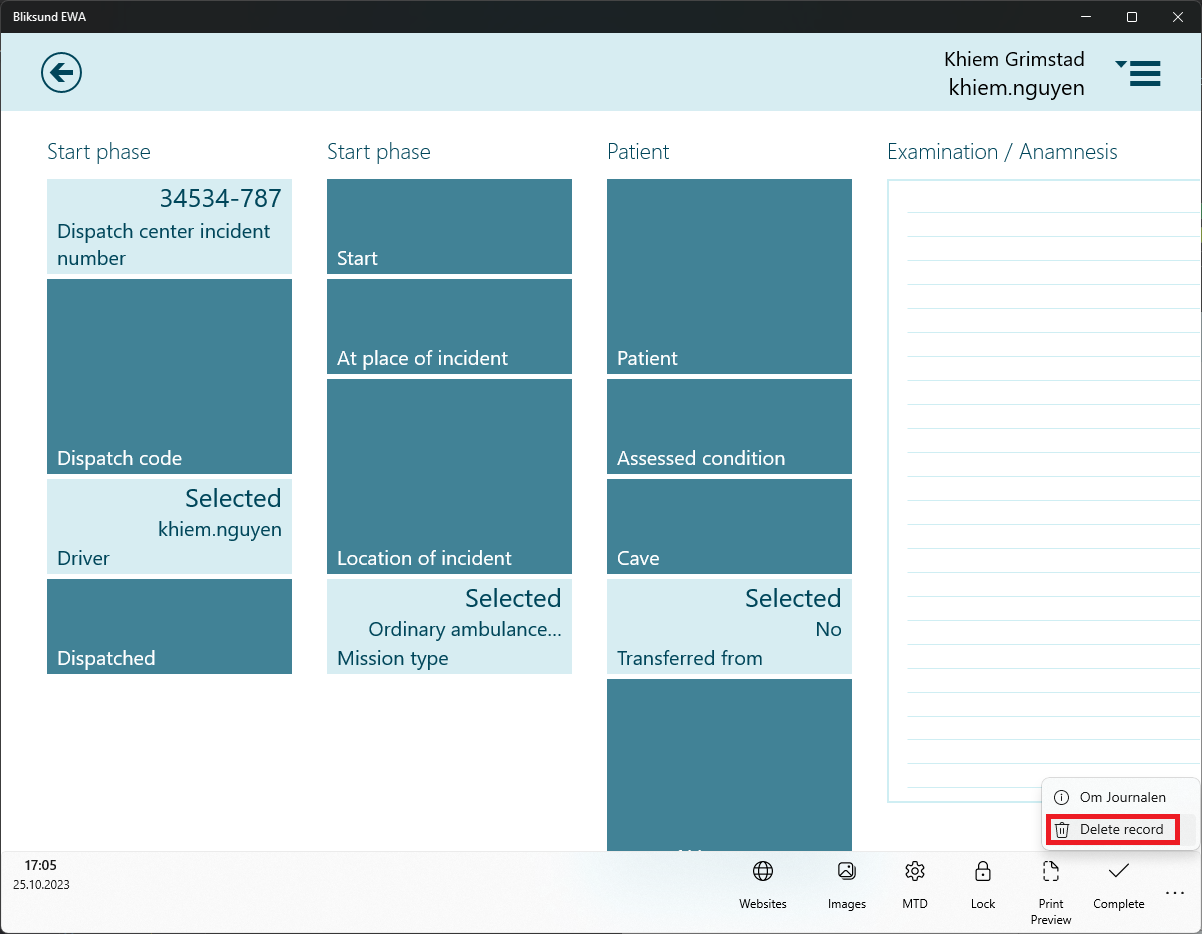
Provide a reason for the record deletion, then confirm by clicking the OK button.
View deletion reason of a deleted record in Insight
Navigate to User activity page by selecting Log > User activity.
Search for the activities associated with the deleted record using its Record ID.
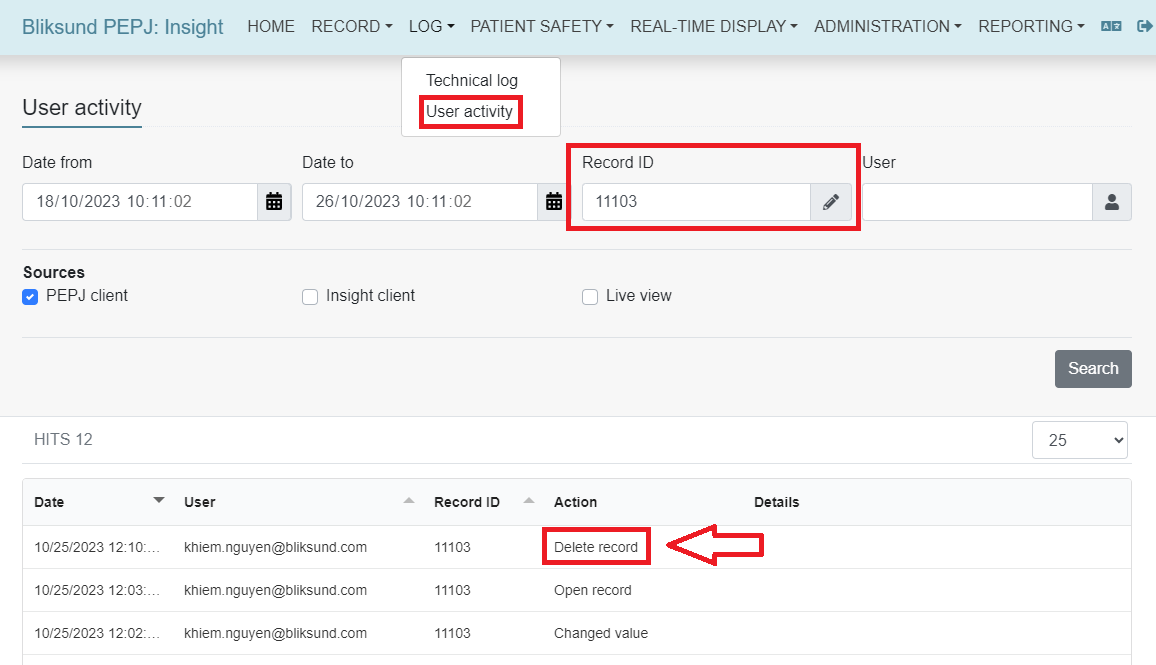
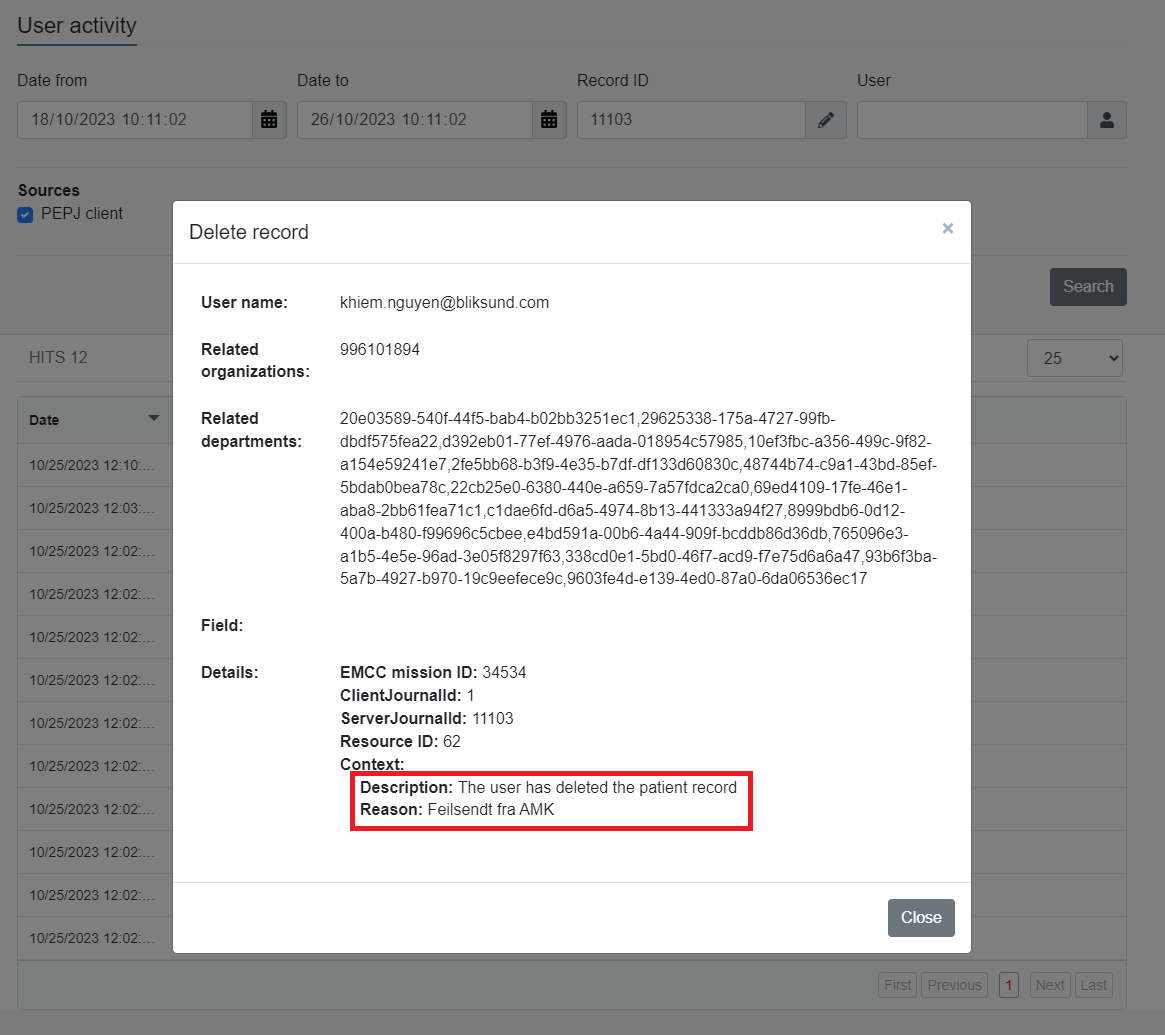
Click on the row where the action is Delete record to view the deletion reason.